Blog post: Online security
Hello and welcome to Scam Or Reliable!

Blog post: Online security
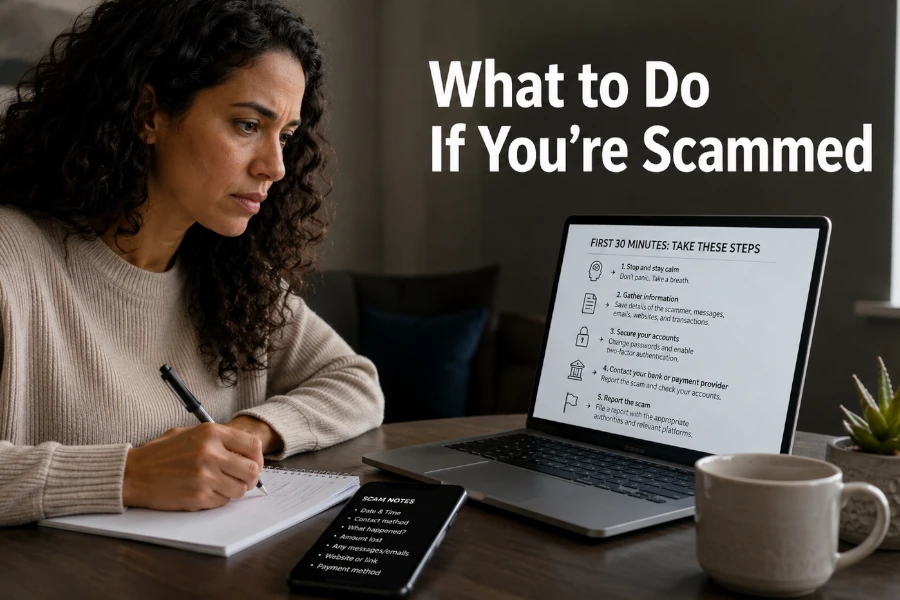
The first few minutes after a scam are often decisive. It is not about panicking, but about limiting the damage, preserving evidence and contacting the right people in the right order. Depending on the type of scam, the priorities are not the same: bank payment, stolen login details, fake adviser, trapped link, installed software or transmitted document. A simple method helps avoid mistakes that make the situation worse.
The first thing to do is to stop all contact with the scammer immediately. Do not reply to messages, do not call back the number provided, do not click on a new link and do not follow a second instruction. Many scams continue after the first trap, with a follow-up, a threat or a fake recovery solution.
If you are still on the phone, hang up without trying to justify yourself. If you are on a web page, close the tab without entering any further information. If someone is remotely guiding you on your computer or phone, end the session and disconnect the device from the Internet if you think remote access has been installed.
This quick break often prevents the scammer from completing their scenario. It also gives you time to think and regain control. The goal of the first few minutes is simple: prevent any new action, protect sensitive access and keep a record of what has just happened.
Before acting in every direction, you need to determine what you actually shared. A scam does not have the same consequences if you only clicked, if you entered a password, if you gave a verification code or if you made a payment. This distinction helps you choose the right priority.
If you only opened a link without filling anything in, the risk may be limited, even if a check remains useful. If you shared personal, banking or login information, you need to act more quickly. If you gave a code received by text message or approved an operation in a banking app, consider the situation urgent.
Ask yourself the right questions in order. Did you pay? Did you enter your bank card details? Did you give a password? Did you send an identity document? Did you install an app? Did you let someone take control of your device? These answers determine what comes next.
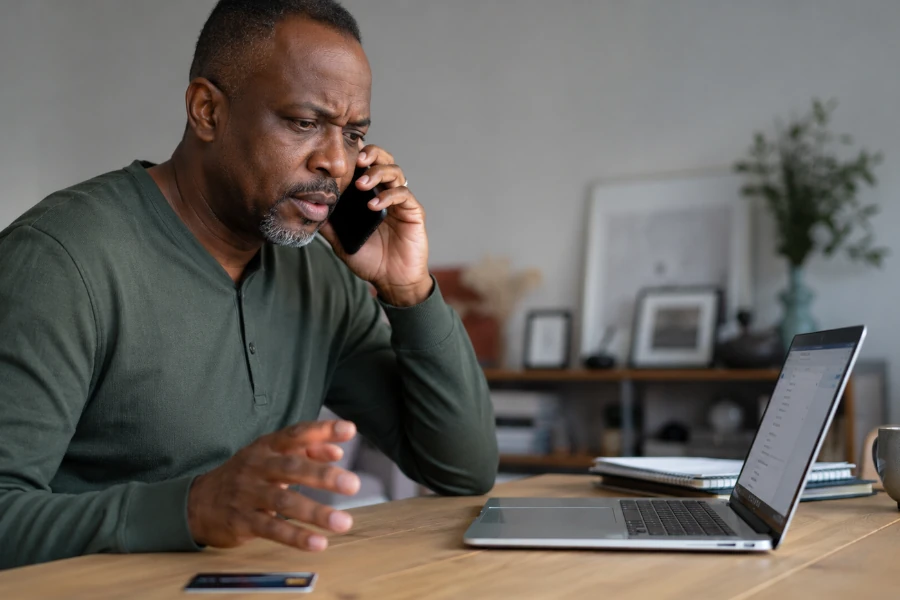
If a bank card, a payment account or a bank transfer is involved, contact your bank or the official payment service immediately. Do not use the number provided in the suspicious message. Go through the banking app, the official website, the number on the back of your card or contact details you already know.
Explain that you believe you are the victim of fraud and ask for the appropriate measures: blocking the card, blocking a transaction, disputing a payment or monitoring the account. In the case of a bank transfer, speed is essential, even if cancellation is not always possible. The sooner the bank is warned, the more it can try to intervene.
In the UK and the US, official guidance in particular recommends contacting your bank or card issuer immediately when payment details have been shared or when fraudulent debits appear. In the UK, a fraud report may also be directed to Report Fraud / Action Fraud (UK) or to the police depending on the situation. In the US, it may be directed to the Federal Trade Commission via ReportFraud.gov (US), or to IdentityTheft.gov (US) if identity theft is involved. In all cases, keep the references of your exchanges with your bank.
If you entered a username and password on a fake page, immediately change the password for the account concerned. Do this from the official website or the official app, never from the suspicious link. If the same password is used elsewhere, also change the other accounts.
Start with the most sensitive accounts: main email account, bank, payment services, social networks, government or administrative account, online store and professional account. Email is a priority, because it often allows other access to be reset. If a scammer controls your email, they can try to take control of several services.
Also enable two-factor authentication whenever possible. If it was already active and you shared a code, consider that the scammer may have attempted an immediate login. Then check recent logins, linked devices, email forwarding rules and changes to contact details.
After login details have been stolen, changing the password is not always enough. Some accounts allow users to remain logged in on several devices. You therefore need to close active sessions and remove unknown devices when the service allows it.
Check the account’s security settings. Look for recent logins, authorised devices, linked apps and recovery email addresses. If an address, number or recovery method has been changed, correct the information immediately.
This step is particularly important for email accounts, social networks and payment services. A scammer can change settings in order to regain access later. They can also use your account to trap your contacts.
Some scams ask you to install a remote-control app, a fake security tool or a file presented as necessary. In this case, the goal is to cut off access quickly. Disconnect the device from the Internet if you think a third party may still be able to control it.
Uninstall the suspicious app if you can clearly identify it. Then change your passwords from another healthy device, especially for email and bank accounts. Avoid making these changes from the potentially compromised device until it has been checked.
If you have serious doubts, ask for help from a trusted professional or from an official cyber incident support or consumer protection service such as the National Cyber Security Centre (UK) or the Federal Trade Commission consumer guidance pages (US). It is better not to rush towards a number found randomly online, because fake repair and recovery services exploit precisely this moment of vulnerability.
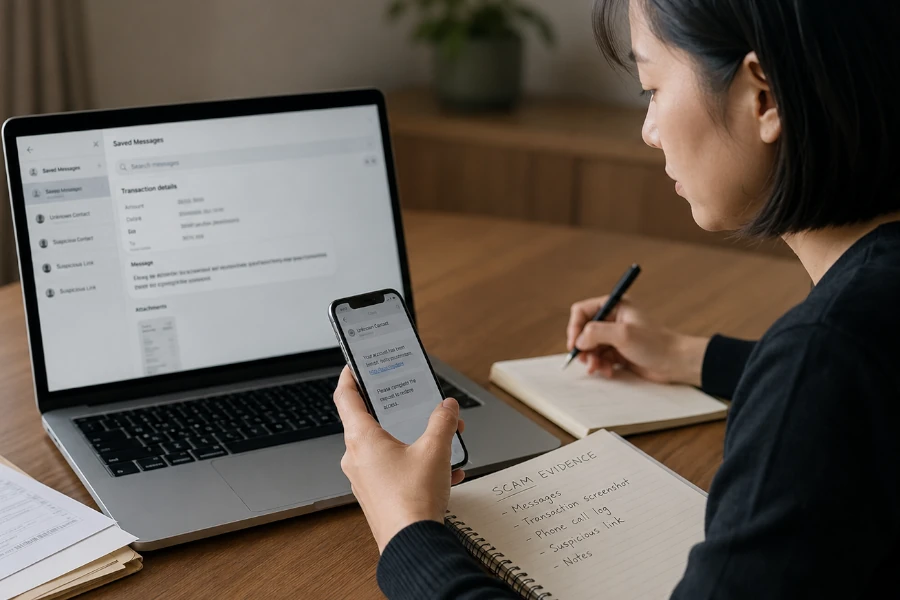
It is tempting to delete the message, block the account and forget the incident. However, evidence may be useful for the bank, the platform, a police report or a fraud report. You therefore need to keep the elements before cleaning up.
Keep the messages, screenshots, links, phone numbers, email addresses, payment references, profile names, transaction confirmations and approximate times. If an advert, page or fraudulent account may disappear, take a clear screenshot. Do not modify the evidence and do not reply to the scammer to obtain more.
If your email, social account or instant messaging account has been compromised, your contacts may be targeted. Scammers often use a real account to ask for money, send a fake link or create the impression of an emergency. Warning those around you quickly limits the spread.
Send a simple message from a safe channel. Say that your account may have been hacked and that people should not click on links or respond to recent requests. Avoid long explanations, especially if you have not yet regained control of the account concerned.
If a professional account is affected, also inform the person responsible for security, IT or administration. A compromise may have wider consequences, especially if documents, customer contacts or internal information are accessible.
Reporting depends on the type of scam and the country concerned. To be directed towards the right steps, you can use our fraud reporting assistant, which guides you according to your situation and the type of scam encountered.
Do not confuse reporting, filing a police report, reimbursement and technical assistance. A report helps direct or alert the authorities, but it does not always replace action with the bank, a platform or the police. If money has been stolen or identity theft is possible, a police report may be necessary depending on the situation. Our interactive guide for fraud victims can then help you identify the first steps to consider.
The right reflex is to choose the official channel without going through a link received in a suspicious message. Type the service address yourself, use your bookmarks or go through a known official portal. Fake victim-support websites exist and can turn a first scam into a second scam.
The most frequent mistakes come from panic. Some victims call back the number provided, follow a new instruction, pay additional fees or immediately look for a miracle recovery service. These reactions can make the loss worse.
You should also avoid publishing all the details too quickly on social networks. Asking for help is legitimate, but publicly exposing personal information, documents or sensitive screenshots can create a new risk. Prioritise official contacts, your bank and trusted people.
After a scam, the first thirty minutes should be used to regain control: cut off contact, identify what has been compromised, protect the money, secure the accounts, preserve the evidence and report in the right place. You should not try to solve everything immediately, but act in the right order. Speed is useful only if it comes with method.
To be guided according to your precise situation, use our fraud recovery support path. To find the right reporting channel, also consult our guidance assistant for reporting a scam. Finally, our article on the essential reflexes when facing scams can help you better understand the protection steps.