Blog post: Online security
Hello and welcome to Scam Or Reliable!

Blog post: Online security
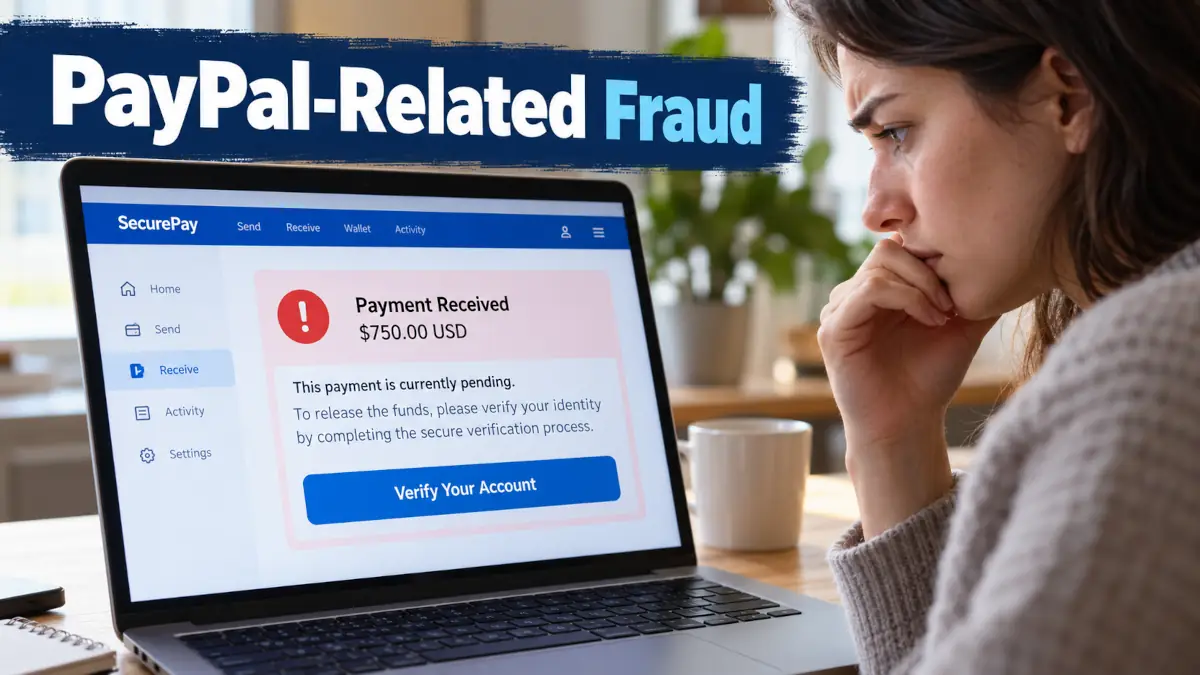 PayPal inspires trust because its name is associated with fast payments, online shopping and transactions between individuals. That trust also attracts scammers who copy its image, misuse certain features and create fake payment scenarios. The traps are not limited to fake emails: they can also appear during a sale on a classified advertising platform or in the form of a seemingly official money request. Before sending a parcel, clicking a link or calling a number received in a message, a few simple checks can prevent financial loss.
PayPal is well known, used in many transactions and familiar enough that many people react quickly when a message mentions a blocked account or an unknown transaction. Scammers exploit this immediate reaction: their objective is not only to create a sense of urgency, but to push the victim away from their usual cautious habits. A message that reproduces a logo, administrative wording and a layout similar to PayPal can seem credible, especially when it announces a financial problem.
The principle often remains the same: create concern, offer a quick solution, then direct the victim towards a risky action. This action may involve clicking a link, calling fake support, sending a parcel before the money has actually been received or using a less protective payment method. The fraud rarely relies on a single detail; it generally combines several plausible elements to create the impression of a normal transaction.
Current PayPal scams target both buyers and sellers. An individual selling an item on Gumtree, Craigslist or Facebook Marketplace may receive a fake payment confirmation. A user buying a product may be asked to pay using “Friends & Family” to avoid supposed fees. In both cases, the safe approach is to return to the PayPal account itself rather than rely on the message received.
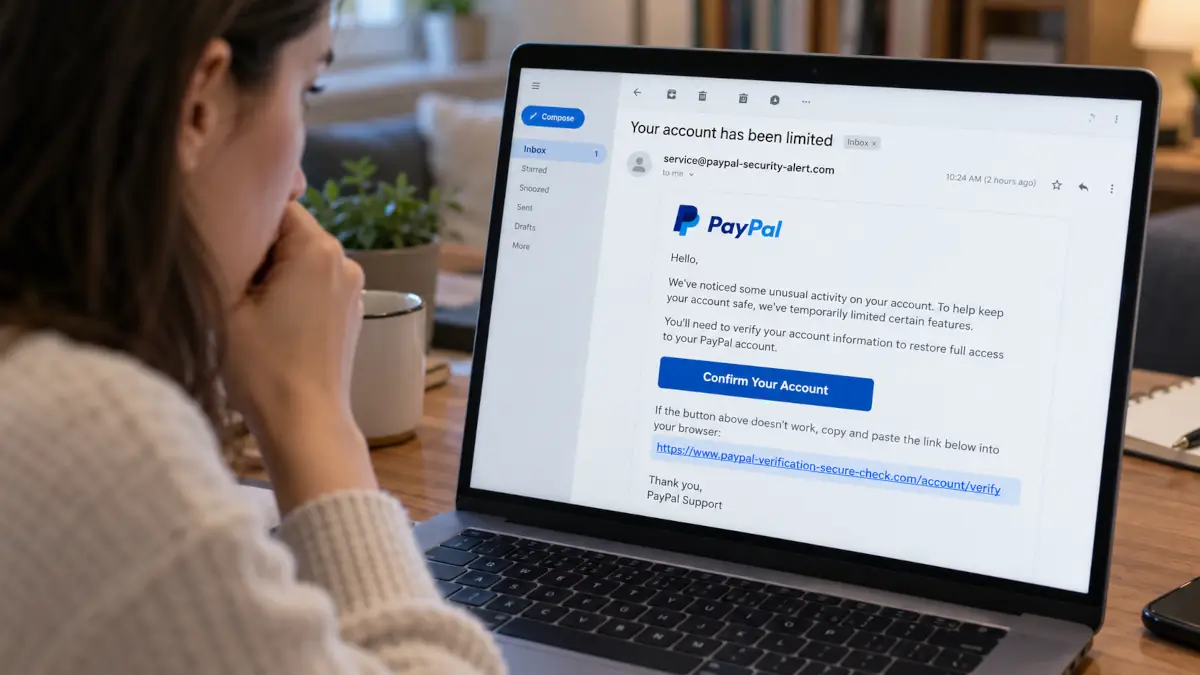 Phishing remains the most widespread technique in fraud using the PayPal name. Messages arrive by email, SMS or notification imitating the appearance of an official service, with various pretexts: restricted account, suspicious payment, unauthorised transaction, security problem or urgent verification. Their aim is to make you click a link leading to a fraudulent page or push you to call a number presented as customer support.
The visual quality of some messages makes the trap harder to spot. A convincing copy may reproduce PayPal’s colours, wording and tone without containing any immediately obvious mistake. The most important sign is therefore not simply the appearance of the message, but the action being requested: urgency, a direct link, a call to a number supplied in the message or a request for sensitive information.
A genuine security reflex is not to use the route proposed by the message. Opening the PayPal app or typing paypal.com into your browser yourself allows you to check whether an alert really exists. If nothing appears in the account, the message received should be treated with great suspicion, even if it looked convincing.
Some scams are more confusing because the message may actually come from PayPal’s servers. Scammers misuse legitimate features such as invoices, money requests or certain subscription-related messages. The recipient then sees a sender address that appears authentic, sometimes service@paypal.com, and may believe that all of the content has been validated by PayPal.
The trap lies in the text added by the scammer. It may mention an expensive purchase, such as an iPhone or MacBook, and include a phone number supposedly allowing the transaction to be cancelled. The worried user then calls this fake support service, where the scam may continue through manipulation, requests to log in or attempts to obtain personal information.
This variant shows that a credible sender is not enough to authenticate the content. An invoice or money request should always be checked from within the PayPal account, without using the number provided in the message. If the transaction exists, it will be visible in the user’s account; if it does not appear or seems inconsistent, it is better to stop all communication and use PayPal’s official channels accessible from the app or website.
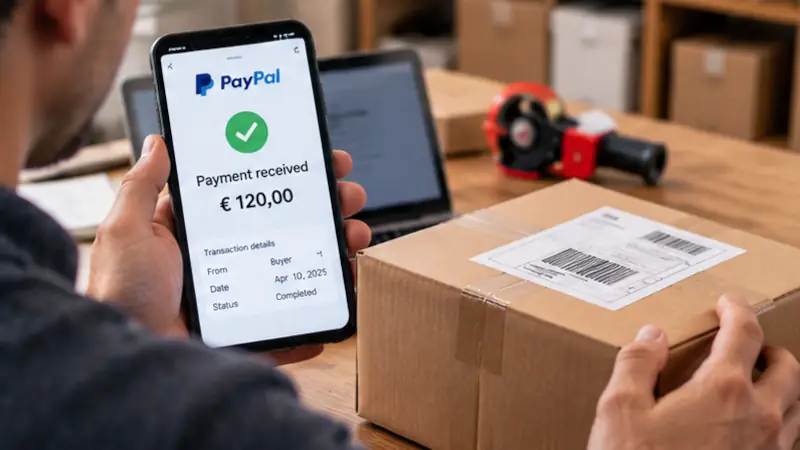 Platforms for sales between individuals are a prime target for fake payment confirmations. The buyer claims to have paid through PayPal, sometimes sends a screenshot or an email resembling a notification, then insists that the seller dispatch the parcel quickly. The problem appears afterwards: the money never arrives, or the transaction is disputed after the item has been sent.
The seller should not confuse a promise of payment with funds that are actually available. A message received outside the PayPal app, a screenshot or a confirmation forwarded by the buyer is not sufficient proof. Only checking the PayPal account can establish whether the transaction exists and whether the funds are visible.
Pressure is often a useful warning sign. A buyer who requests immediate dispatch, explains that the payment is “pending” or claims that a special procedure is holding up the money may be trying to rush the decision. In a sale between individuals, the correct order is simple: check the payment in PayPal, wait until the money is genuinely available, and only then prepare the shipment.
The fake-fee scam relies on a promise: the money is supposedly blocked and an additional sum must be paid to release it. The pretext varies, but the mechanism remains the same: the victim believes they must pay fees in advance to receive their own payment. This type of request should be treated as a major warning sign, especially if it arrives by message or through someone claiming to act on behalf of PayPal.
Another common trap concerns the “Friends & Family” payment option. This method does not offer the protection associated with commercial payments between buyers and sellers. Scammers often request it by claiming that it is simpler, faster or cheaper, but the user then takes a significant risk if a dispute arises.
For a sale or purchase involving someone you do not know, a “Goods and Services” payment remains the more appropriate choice. It keeps the transaction within a commercial framework, unlike a Friends & Family transfer, which is intended more for sending personal payments. If the other person categorically refuses this method and insists on another option, it is better to slow down the exchange and reconsider the transaction.
Fake invoices and money requests exploit confusion between a notification and a genuine debt. A user receives an unexpected invoice, sometimes with alarming wording, and is then invited to call quickly to dispute or cancel it. This setup pushes the person to act before even checking whether the transaction exists in the account.
Fraudulent refund requests follow a similar logic. The scammer may claim to have paid too much, made a mistake or need to recover a sum following a transaction. The objective is to obtain money back, sometimes before the original transaction has been confirmed or is definitively available.
The “overpayment” scenario deserves particular attention in sales between individuals. The buyer claims to have paid more than the agreed price, then asks for the difference to be returned. Until the payment is genuinely secure in the account, sending money back means taking the risk of financing the scam with your own money.
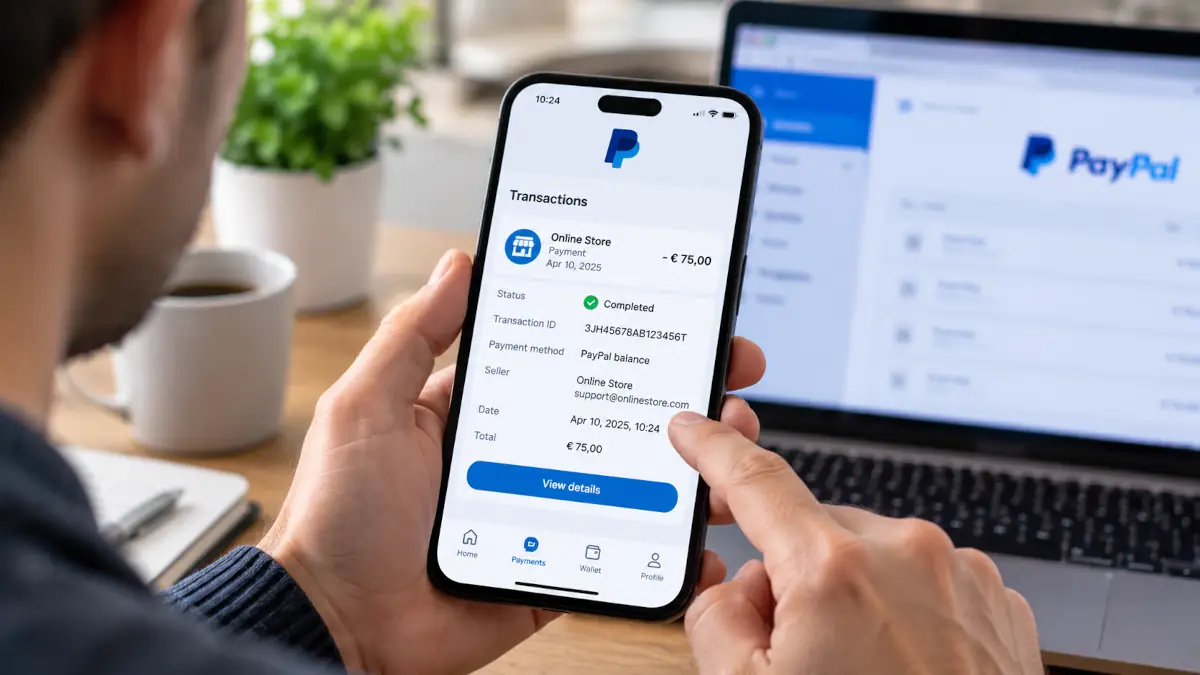 Prevention relies less on permanent distrust than on a verification routine. PayPal should be accessed through the app or by manually entering the official website, not through a link received in a message. This simple change in habit neutralises a large proportion of phishing attempts and reduces decisions made under pressure.
Before sending money, you need to understand why the payment is being requested, who it is intended for and which payment method is being used. Before sending a parcel, you need to check that the transaction exists in the account and that the money is genuinely available. In both situations, a message received outside PayPal should never replace direct verification.
Two-factor authentication adds a useful barrier in the event of an attempt to access the account. It does not make the account invulnerable, but it makes stolen credentials harder to exploit. Regularly monitoring the account also makes it possible to spot an unknown transaction, strange request or activity that does not match your normal use more quickly.
Clicking by mistake or calling fake support does not mean you should panic, but you should act quickly and methodically. If you entered your login details on a suspicious page, change your password through the official PayPal website or app and check your security settings. If a payment was made or an unknown transaction appears, review the options available in your PayPal account and gather the evidence.
Evidence is important because it helps reconstruct the sequence of events. Keep emails, SMS messages, numbers called, screenshots, visible references and exchanges with the other person. Avoid deleting the messages even if they are clearly fraudulent, as they may help explain the method used.
Reporting can also be useful, particularly when a fraudulent message is circulating or an attempt targets several people. Depending on the situation and country concerned, official prevention or reporting services such as Report Fraud (UK), the National Cyber Security Centre (UK), or the Federal Trade Commission through ReportFraud.gov (US) may be appropriate. The essential point is not to continue communicating with the scammer and to use reliable channels for any further action.
PayPal scams rely on a mixture of urgency, visual credibility and confusion surrounding payments. The best reflex is to leave the message received, open PayPal independently, check that the transaction exists and refuse requests for fees or “Friends & Family” payments with a stranger. To strengthen your vigilance habits, you can consult our practical guidance for avoiding scams, check a dubious message with the tool for analysing suspicious emails and SMS messages or assess a link you have received using the risky URL checker. If you have already shared information or sent money, keep the evidence, secure your account and proceed step by step rather than responding to new alarming messages.