Blog post: Online security
Hello and welcome to Scam Or Reliable!

Blog post: Online security

 In many homes, connected devices promise convenience: a camera that reassures, a speaker that answers, a thermostat that adjusts the temperature. But these devices also turn the home into a constant sensor, because they record, analyse and transmit information about what happens there. The issue is not only hacking, but also the data collected day after day by legitimate services.
Understanding what is captured, where it goes and how to take back control makes it possible to enjoy a “smart home” without sacrificing your privacy.
A connected device is a piece of hardware with sensors and a connection (Wi-Fi, Bluetooth, sometimes cellular) that exchanges data with an app and servers. Cameras, video doorbells, smart TVs, watches, robot vacuums, baby monitors: these products do not stop at one function, they also produce traces. Calling them “spies” is often a shortcut, but it points to a simple reality: at home, they can listen, see, measure, and keep histories. The difference is rarely whether data collection exists, but its scale, usefulness, transparency, and your ability to limit it.
Data is not limited to images or audio recordings, even if those are the most sensitive. Connected devices also collect metadata: activity times, frequency of use, presence or absence, approximate location, technical identifiers, visible Wi-Fi networks, or interactions with the app. A smart TV can remember usage (content viewed, watch time), a speaker keeps queries, and a thermostat learns habits. Taken individually, each signal can seem harmless; put together, they draw a precise picture of everyday life.
 Some devices include microphones designed to detect a wake word, then send a request to a remote service for interpretation. Even when the device does not record continuously, it is still built to listen for a trigger, which makes settings and histories important. Cameras, in turn, may store locally or in the cloud, and some features (motion detection, face identification, smart notifications) rely on server-side analysis. In all cases, the key point is not to imagine systematic “spying”, but to identify the moments when the device captures and shares more than necessary.
The most common risk is not spectacular: it is overly generous “default” collection. Many apps enable telemetry, personalisation, or usage measurements to improve the product, troubleshoot, or fund a service. Some data can also be shared with service providers (hosting, support, technical analytics), which multiplies the parties involved. The result is not necessarily illegal, but it can become intrusive if the user does not know what is collected and how to reduce it.
A connected device rarely communicates only with your phone. Often, it contacts servers run by the manufacturer, relies on automatic updates, and syncs settings or histories. This architecture enables features, but it also creates extra transit points: online account, cloud storage, APIs, notifications, family sharing. Each additional link increases the exposure surface, whether through a weak password, a bad configuration, or an incident at a provider. And when a service is central, the user becomes dependent on the manufacturer’s technical and commercial choices.
When a camera or doorbell “stops working” without an app, it is often because the cloud is at the heart of the system. In that case, account security (passwords, two-factor authentication, associated email address) is as critical as Wi-Fi security. Access to the account can open the door to video streams, histories or settings, even without physical presence in the home. It also means that a change in retention policy, a shift in default settings or an update can evolve data collection over time.
Talking about “spy” devices should not lead to fear, but to risk assessment. The first risk is privacy: domestic images or sounds can be exposed through poorly controlled sharing, a public link, or a compromised account. The second is security: some devices that are poorly maintained or misconfigured can serve as an entry point into the home network. The third is more diffuse: usage data can reveal routines (departure times, periods of absence), which is never desirable when such information circulates too widely. In practice, it is often simple mistakes that create the most serious problems.
Connected baby monitors, “smart” toys, cameras in a bedroom: these uses raise specific issues. A child cannot give informed consent to data collection, and the impact of a leak can be long-lasting. In these situations, choosing devices that can operate locally, limiting sharing, and cutting remote access when it is not essential is generally safer. A simple rule helps: if the device does not bring a clear benefit with cloud access, it is better to reduce that dependency.
The problem sometimes starts at purchase, especially with unknown brands sold on marketplaces. A product without clear support, without announced updates, or with an app described as intrusive can become dead weight, or even a weak point. Another clue is a “too good to be true” promise: unlimited free cloud storage, premium features with no understandable business model, or a total lack of information about how data is handled. In the European Union, the framework (GDPR) requires information and rights, but the manufacturer still needs to be identifiable and reachable. Reading the privacy policy is not always fun, but a minimum level of transparency is a reassuring signal.
Security depends not only on the device, but also on its app and account. An app that demands disproportionate permissions (contacts, SMS, always-on precise location) deserves a pause, especially if the function does not justify it. The presence of two-factor authentication is a real plus, as is the ability to manage history, disable usage analytics, or choose local storage. Finally, a track record of updates and fixes is a simple indicator: an “abandoned” product degrades over time, even if it worked well at first.
The good news is that you can often greatly limit risks without giving up everything. The goal is not perfection, but reducing easy weaknesses and the amount of data shared. Start by listing devices, associated apps and the accounts used: many households accumulate forgotten devices that are still connected. Then apply a simple logic: less remote access, fewer active sensors, and better-protected accounts.
Privacy menus can be long, but a few sections come up often: usage analytics collection, personalisation, sharing with “partners”, default cloud backup. Disabling certain options may reduce the convenience of advanced features, but that is a conscious trade-off when privacy is at stake. A good test is to ask: “Is this option essential to the main use of the device?”. If the app refuses to work without excessive permissions, or if settings are impossible to find, that is a signal to take seriously.
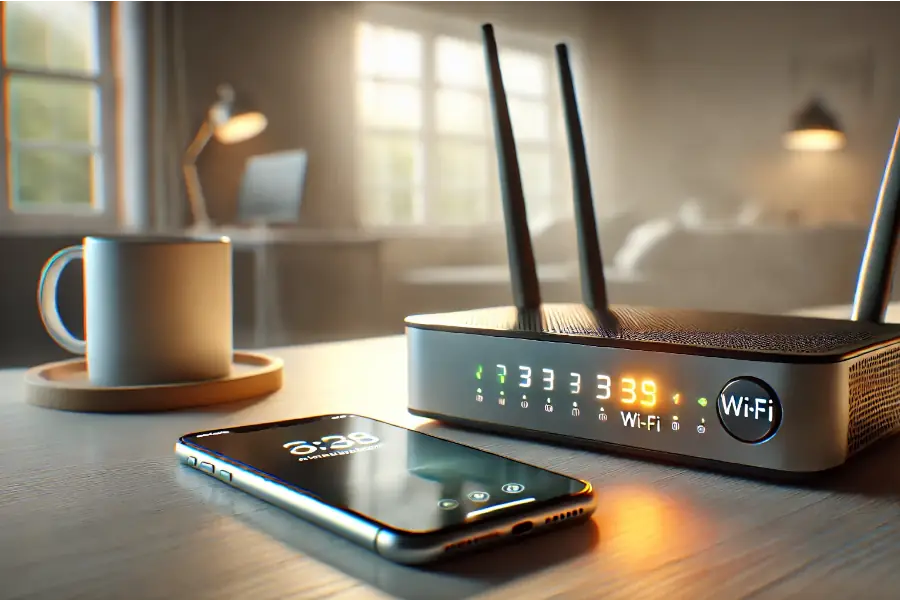 The security of a connected home depends heavily on the router. Wi-Fi protected by a strong password, a secured admin interface and regular updates already reduces many risks. Avoid reusing an old “easy” password, and limit exposure of the admin interface (external access only if necessary and properly configured). Watch for unknown devices that appear on the network, especially after installing a new gadget. If in doubt, changing the Wi-Fi password and rebooting the router is a simple action that cuts unwanted connections.
Acting quickly, but methodically, helps limit damage. Unplug the device concerned (or cut its Wi-Fi access), then immediately change the password of the associated account and, if needed, the Wi-Fi password. Revoke active sessions in the app, remove shares and public links, and check for unusual sign-in alerts. If the device keeps a history (access, events), keep useful elements before a full reset.
A connected home is not doomed to become a “spied-on” home. The risk mostly comes from the accumulation of small decisions: a microphone left on, an account that is poorly protected, a device without updates, sharing that is too broad. By taking control of settings, isolating devices on the network and choosing transparent manufacturers, you greatly reduce the amount of data that leaves the home and the chances of exposure. To go further on prevention and response, you can also read the essential rules to avoid most online scams, consult a selection of useful resources against scams, and review the steps to take when facing frauds and scams on the Internet.



Scam Or Reliable: The free and independent reference dedicated to anti-fraud information, the analysis of deceptive practices and the protection of consumers against online risks. Our team publishes articles, alerts and educational content to help internet users spot signs of scams, understand fraud mechanisms and adopt the right reflexes when faced with digital scams.
Its goal: to contribute to the prevention of scams, phishing, fake websites, impersonation and online commercial manipulation by providing clear, rigorous and useful content based on the analysis of verifiable signals, testimonies and reliable sources.
Warnings: The information presented on this blog is provided for informational and preventive purposes only. It does not constitute official recommendations or personalised legal, financial or technical advice. It must be verified with the relevant organisations, services or contacts depending on the situation. We are not responsible for errors, omissions or inappropriate use of the information provided on this site. If you notice any inaccuracy, please let us know.